
The Reloop Mixon 8 Pro is a high-class professional hybrid DJ controller that has everything you need in a device and then some. When I got a chance to play around with it for this review, I will say I was more than a bit skeptical about what I’d heard.
I don’t have an issue with Reloop DJ gear per se, but I’ve known them for producing fairly affordable and entry-level controllers, so the fact that the Reloop Mixon 8 Pro came onto the scene as a legit option for people serious about DJing made me want to see if they were really up to snuff.
What I found was a pretty impressive device that worked well with multiple DJ software options, a super unique controller with four channels rather than the standard two, and proper software FX control (a feature sorely missing from many competitor controllers). Simply put, I looked into the Reloop Mixon 8 Pro skeptically and came out a believer.
In this Reloop Mixon 8 Pro review, we’ll break down its size and build, some of the different design layout choices, as well as how it operates with the different software options.
Is the Reloop Mixon 8 Pro Any Good?
The Reloop Mixon 8 Pro is generally regarded as a high-quality DJ controller with a range of features and functionalities that can enhance your DJ performance. It offers compatibility with popular DJ software, versatility in setup options, and a variety of performance controls. Additionally, the Reloop Mixon 8 Pro’s easy integration with streaming services provides convenient access to a vast music library.

- Enhanced jog wheel design enable precise control your music precisely; vivid on-jog displays provide real-time track information, including virtual needle illumination, a playhead position indicator, and track time remaining or elapsed
Pros:
- Great Build
- Superior Design & Layout
- Very Versatile
- Multiple Software Options
Cons:
- Jogwheels Are A Bit Small
- DJ Pro AI Is Not Quite As Good As Serato
First Impressions
Build
From a physical build perspective, one of the things you’re probably going to notice first is its larger size and its metal body. While the Reloop Mixon 8 Pro has certainly got a lower profile than most, it’s overall size and material makeup make it much more of a hulking beast than most other controllers. In addition, the fact that it has four channels rather than the standard two makes it stand out even more as an actual professional device rather than something you’d expect beginners to find themselves playing with.
The Reloop Mixon 8 Pro controller is similar to the Pioneer DJ DDJ-FLX10 as it doesn’t come with any FX hardware. This means it’s pretty bare bones, with only a standard set of filter knobs that pretty much only act as filter knobs (no handling of any other features). The good news is that, despite not having a ton of FX options, the controller still has things like a slip, looping, key sync, cue split, and various other options all available for people interested.
Design Layout
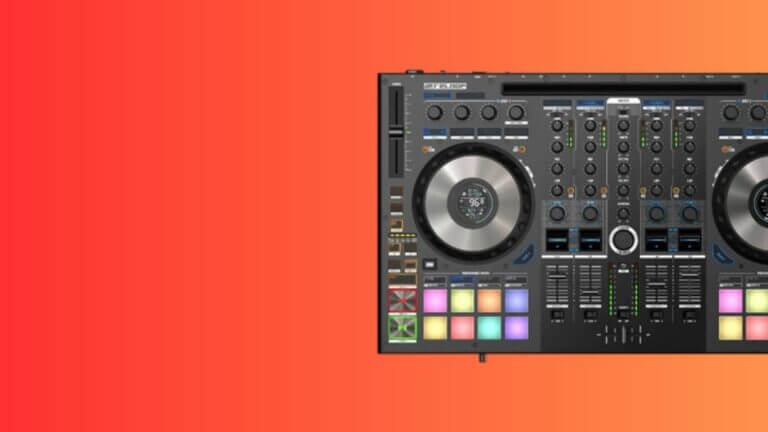
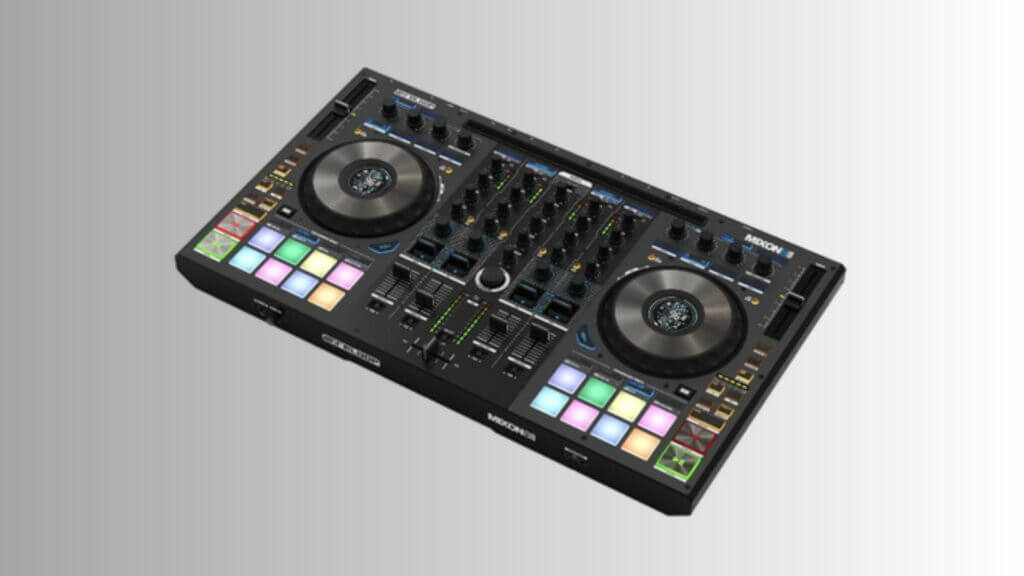
In terms of its physical design, the Reloop Mixon 8 Pro utilizes a “mirror image” layout which, while not so prevalent today, was a big thing only a few years ago. It comes with a pair of FX engine control areas as well as four FX paddles, which is pretty rare in the controller and DJ space.
While the jogwheels aren’t quite as large as one would initially have expected, that isn’t to say they’re tiny. Moreso, they’re just a bit underwhelming compared to the knobs, pads, faders, and transport buttons which are all full-sized and effectively spaced. If you’ve ever operated or looked into the Prime 4, you’ll see a pretty strong comparison between the two from a general layout perspective.
Input/Output Ports
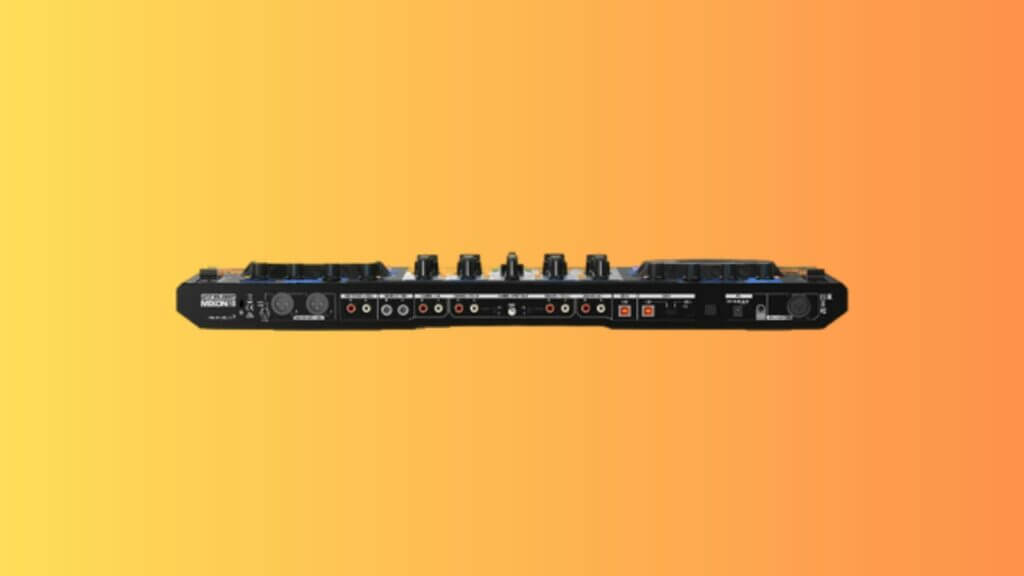
Checking out the input and output ports, the Reloop Mixon 8 Pro comes with a master and booth outport alongside an XLR balanced port for a strong audio listening experience. The controller comes with a dual USB audio interface and has external inputs for all four of its channels, with two of the four (channels 3 & 4) capable of being switched out from line to phono.
There are also dual microphone inputs that come with talk-over and can be routed through those same channels if you want to announce your performance.
In addition to the various input and output ports, there are a pair of USB socket ports available for two laptops simultaneously. Both are USB type-B sockets, though one can be switched over to type-C if you’re using an iPhone or iPad via the djay Pro AI software.
- Enhanced jog wheel design enable precise control your music precisely; vivid on-jog displays provide real-time track information, including virtual needle illumination, a playhead position indicator, and track time remaining or elapsed
A Deeper Look
Overall, despite being a great and affordable option for many DJs in the professional tier, I found the controller to be a lot of fun to play and mess around with. From the super responsive and accurate buttons, and the comfortable rubberized RGB performance pads, to even the dual display screens on the jogwheels breaking down the essentials (BPM, Pitch, & Time Elapsed/Remaining).
Auto-Looping
The controller has an auto-looping feature that comes with a strip of LED lights to let you catch exactly where everything is at a glance, which is an ideal method of checking the loop value without needing to defer to the iPad, iPhone, or laptop.
Software Options
From a functioning standpoint, the Reloop Mixon 8 Pro operates under two major available DJ software options: djay Pro AI and Serato DJ. For either option I found them to be quite effective at handling just about any task that came in front of me. The djay Pro AI was particularly impressive, as it came with pad FX options entirely separate from the controller itself.
Touching on that software first, the djay Pro AI software is the newer and less commonly used of the two. This makes it a bit more difficult to get your head around compared to Serato, which is known for its longstanding history. That said, it isn’t to say that the Serato DJ software is perfect. Here, that software doesn’t have any dedicated stems functions, though you can always use Serato Stems.
Both options are great, though I will say that I still lean a bit toward Serato simply because of familiarity.
Overall Performance
What We Like:
- Great Build
- Superior Design & Layout
- Very Versatile
- Multiple Software Options
What We Do Not Like:
- Jogwheels Are A Bit Smaller
- DJ Pro AI Is Not Quite As Good As Serato (Though It’s Getting Close)
- Enhanced jog wheel design enable precise control your music precisely; vivid on-jog displays provide real-time track information, including virtual needle illumination, a playhead position indicator, and track time remaining or elapsed
Reloop Mixon 8 Pro: The Verdict
Overall, while I can’t quite make any definitive statements about the Reloop Mixon 8 Pro hybrid DJ controller being “perfect”, I can certainly concede that it has won me over overall as a prominent controller that is good enough to warrant a professional’s interest and use.
Not only is it made from metal and given a thick and durable build, but all of its buttons are well-placed and it works incredibly well with the Apple iPhone and iPad.
There aren’t a whole lot of things to knock it down for and it only really suffers from the fact that it is more native to the less competitive dj Pro AI software despite Serato DJ being the superior option. Even despite that, the fact that you can easily swap out and get most of Serato’s benefits makes up for any shortcomings.
While there are other options with greater Serato stem controls and additional compatibility, for everything it’s worth and what it has to offer, the Reloop Mixon 8 Pro is really a controller that everyone should be paying attention to.
- Enhanced jog wheel design enable precise control your music precisely; vivid on-jog displays provide real-time track information, including virtual needle illumination, a playhead position indicator, and track time remaining or elapsed